File manager comparison vs Total Commander
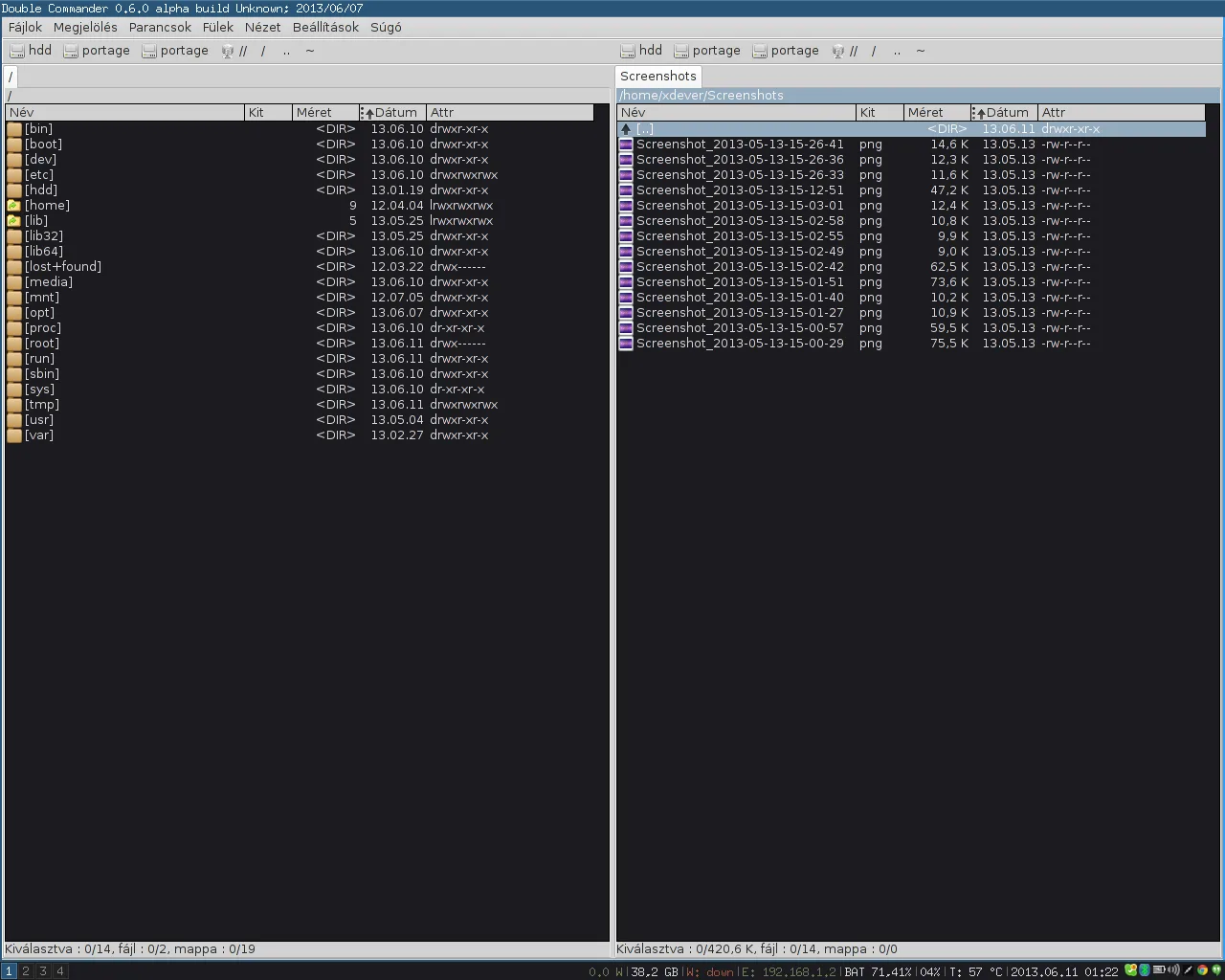
Total Commander is the classic shareware dual-pane tool many Windows users know. Double Commander is a GPL-2.0 dual-pane file manager with Windows, macOS, and Linux builds on GitHub Releases. This page states where each option tends to win without turning into a brand rant.
When each wins
Choose Double Commander when you want a free open-source file manager, cross-platform builds, and an install door on GitHub Releases (plus a Homebrew cask on macOS). Choose Total Commander when your muscle memory, plugins, and paid license already center on that product.
Directory Opus is another commercial Windows power file manager. Built-in explorers remain the default single-pane path. Midnight Commander covers dual-pane needs in a terminal. Pick the smallest tool that keeps source and destination honest for your job.
Price and platforms
Price: Double Commander desktop builds on Releases are free under GPL-2.0. Total Commander uses a shareware model described on ghisler.com. Directory Opus is commercial per gpsoft.com.au. Verify current prices on those vendor sites before you budget.
Platforms: Double Commander ships Win/mac/Linux assets on the same release tags. Total Commander is a Windows-centered product line. If you bounce between a Mac and a PC, the GPL-2.0 file manager reduces tool-switching friction.
Authenticity and features
Install authenticity still matters more than brand nostalgia. A fake “Total Commander free download” portal is as dangerous as a fake Double Commander zip. Prefer first-party sites and GitHub Releases. See download safe.
Feature depth varies by version and plugins. Do not assume every Total Commander plugin exists in Double Commander. Prove your top three workflows: copy between panes, archive open, and multi-rename if you use it. Then decide.
Teams and next links
Teams with existing Total Commander training materials should weigh retraining cost. Individuals who only need a dual-pane file manager for personal archives can start with Double Commander without a license key.
Related installs: Windows, switch from Explorer, guides.
Home hub: file manager install. Releases: releases.
Document the install
When you document the install for someone else, write the asset pattern, the repository name, and the proof you expect after install. A note that only says “get a file manager” invites adware. A note that says “doublecmd-*-x86_64-win64.exe from doublecmd/doublecmd Releases, then copy one folder between panes” is actionable.
Survive reimages
Shops that reimage PCs monthly should store the approved asset name in the image wiki. The dual-pane file manager then returns with the same habits after each wipe. Portable zip users should keep the extract folder outside the user Downloads directory so cleanup scripts do not delete the app.
Watch filenames on new tags
If a release renames architectures, re-read the asset list before you script downloads. Filename tokens such as x86_64-win64, cocoa.aarch64, and gtk2.x86_64 are the practical checksum for humans who will not run hashing tools every time. Still prefer official Releases over mirrors that strip those tokens.
Shares and encrypted volumes
Network shares and encrypted volumes behave like any other path inside a dual-pane file manager: open them in a pane, then copy with both sides visible. Prove a small file first when latency is high. Large tree copies deserve a progress glance before you walk away.
- Keyboard-first users should learn pane focus switching early.
- Mouse-first users should resize the split until names are readable.
- Both groups benefit from one favorite path on each side.
Second-hour skills
Archive formats, search tools, and multi-rename are documented upstream. Treat them as second-hour skills. The first-hour bar for this file manager remains two panes and one honest copy. That bar catches wrong binaries faster than feature tours.
Antivirus and classrooms
When an antivirus quarantines the setup, check the filename against GitHub Releases before you restore from a random mirror. If the hash or name matches upstream and your security team allows it, restore that same file. If the name drifted, delete it and download again from Releases.
Teachers and lab managers can keep a known-good installer on an internal share that still originated from GitHub Releases. Record the tag and asset name on the share README. Students then install the same dual-pane file manager without surfing adware SERPs.