File manager GitHub: repo, license, releases
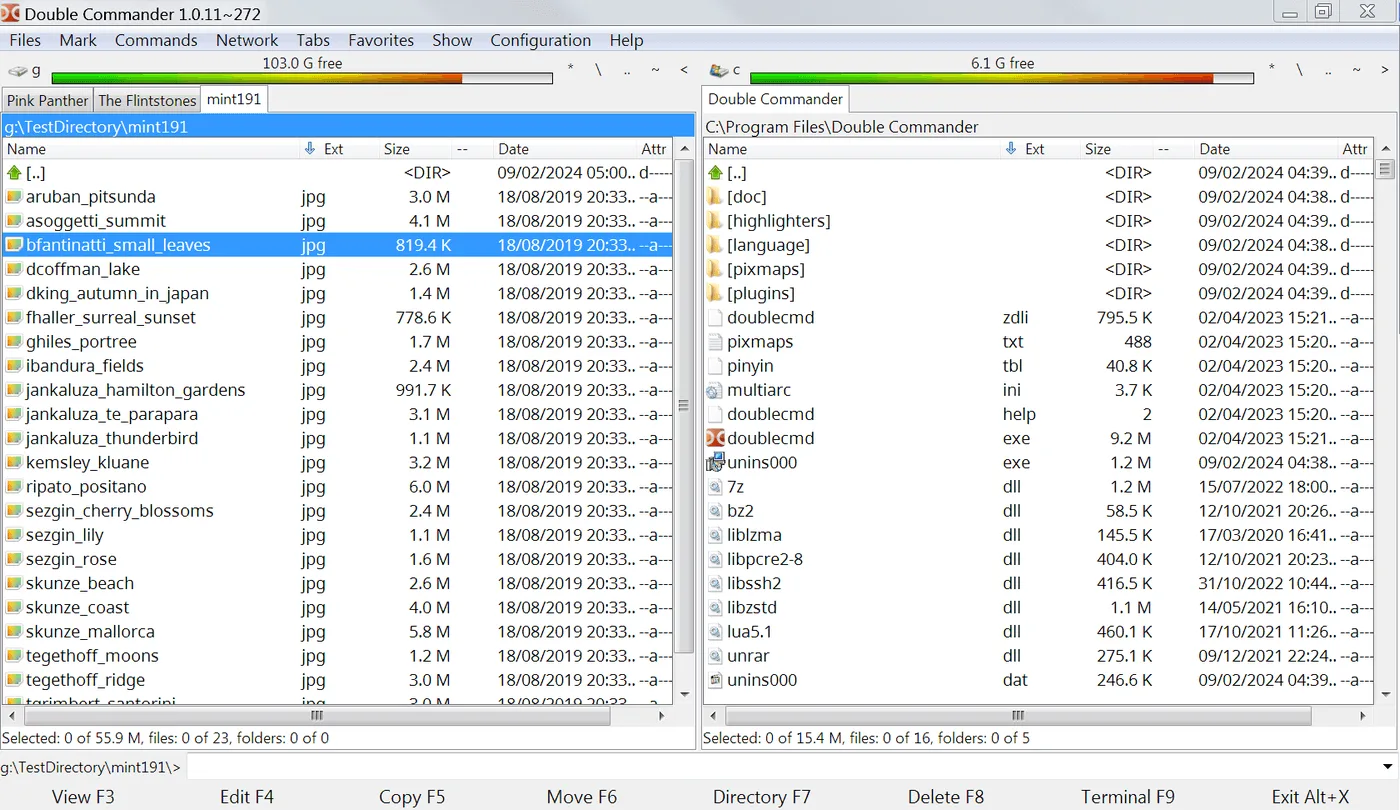
The canonical repository for this dual-pane file manager is doublecmd/doublecmd. README describes a free cross-platform open source file manager with two panels side by side or stacked. License metadata on GitHub reports GPL-2.0. Stars and release stats on the home page refresh from the GitHub API at build time.
Repo versus Releases
Use the repository to read LICENSE, issues, and security contacts. Use Releases for binaries. Do not treat random forks as the file manager download door. Upstream also documents platforms and versions on the project wiki linked from README.
Harbor Quill verifies asset names against the official repo when this guide is refreshed. The publisher does not replace upstream support. Bug reports belong on the GitHub issue tracker for doublecmd/doublecmd, not on a mirror site comment section.
Development clones
When you clone for development, that is a separate job from installing the desktop file manager. Everyday users should stay on Releases assets. Developers who build from source should follow upstream docs and still keep a known-good Releases binary for daily browsing.
Security disclosures use the repository Security tab when available. Prefer confirming a fixed tag in Releases before you redeploy a file manager build across a shop. See is it safe for authenticity habits.
Homepage and forks
Homepage and documentation also live on the SourceForge project site linked from README. Those pages explain features and screenshots. The download button on this install guide still points at GitHub Releases so asset names stay consistent with the API picks.
Forks that rename the product or inject installers are a common trap for people who typed file manager into a search box. Check the organization name doublecmd and the repository name doublecmd before you trust a green download button.
Tags and community
Release tags use a v prefix. The site config filters to those tags so daily rebuilds keep the dual-pane file manager picks aligned with desktop releases rather than unrelated tags if any appear later.
Community discussion links appear in README. Use them for workflow questions after you have a working install. Install failures that start with the wrong asset are usually fixed by returning to Releases, not by forum macros.
Related pages: releases, download safe, guides.
Document the install
When you document the install for someone else, write the asset pattern, the repository name, and the proof you expect after install. A note that only says “get a file manager” invites adware. A note that says “doublecmd-*-x86_64-win64.exe from doublecmd/doublecmd Releases, then copy one folder between panes” is actionable.
Survive reimages
Shops that reimage PCs monthly should store the approved asset name in the image wiki. The dual-pane file manager then returns with the same habits after each wipe. Portable zip users should keep the extract folder outside the user Downloads directory so cleanup scripts do not delete the app.
Watch filenames on new tags
If a release renames architectures, re-read the asset list before you script downloads. Filename tokens such as x86_64-win64, cocoa.aarch64, and gtk2.x86_64 are the practical checksum for humans who will not run hashing tools every time. Still prefer official Releases over mirrors that strip those tokens.
Shares and encrypted volumes
Network shares and encrypted volumes behave like any other path inside a dual-pane file manager: open them in a pane, then copy with both sides visible. Prove a small file first when latency is high. Large tree copies deserve a progress glance before you walk away.
- Keyboard-first users should learn pane focus switching early.
- Mouse-first users should resize the split until names are readable.
- Both groups benefit from one favorite path on each side.
Second-hour skills
Archive formats, search tools, and multi-rename are documented upstream. Treat them as second-hour skills. The first-hour bar for this file manager remains two panes and one honest copy. That bar catches wrong binaries faster than feature tours.
Antivirus and classrooms
When an antivirus quarantines the setup, check the filename against GitHub Releases before you restore from a random mirror. If the hash or name matches upstream and your security team allows it, restore that same file. If the name drifted, delete it and download again from Releases.
Teachers and lab managers can keep a known-good installer on an internal share that still originated from GitHub Releases. Record the tag and asset name on the share README. Students then install the same dual-pane file manager without surfing adware SERPs.