Download a file manager safely from GitHub
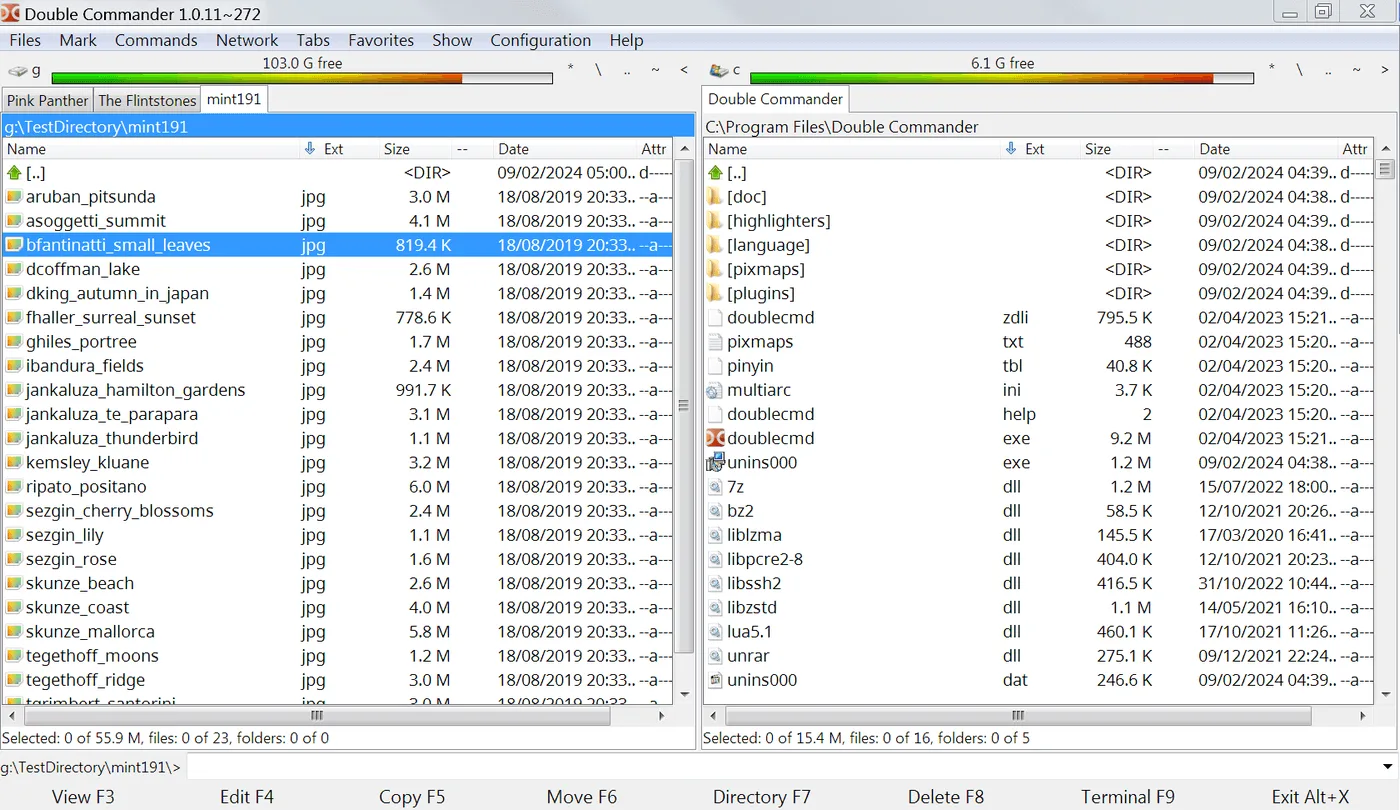
People who type file manager into a search engine often land on portals that wrap installers. The safe door for Double Commander is GitHub Releases for doublecmd/doublecmd. Match the asset name, download once, and keep that file. Prefer GitHub Releases over a random CDN that reshuffles names.
Windows filename checks
On Windows, the primary pattern is doublecmd-*-x86_64-win64.exe. MSI and portable zip use the same architecture token. If a site offers “FileManagerSetup.exe” with no matching prefix, stop. Softonic-style pages that promise a faster file manager download are the usual wrong door.
Check HTTPS on github.com, confirm the repository owner, then open Releases. Prefer the browser download URL from the official asset list. After download, confirm the filename still matches before you run it. SmartScreen may warn on uncommon publishers; that alone is not a reason to switch to a mirror.
macOS and Linux doors
On macOS, prefer the Homebrew cask double-commander when you already trust Homebrew, or the cocoa DMG from Releases when you want the same asset the project published. Gatekeeper prompts should name Double Commander, not an unrelated helper.
On Linux, take the tar.xz that matches your UI toolkit and CPU. Extract in a folder you own. Avoid third-party “one click” scripts that curl an installer from an unknown host while claiming to install a file manager.
No invented winget
No winget id was verified for this guide. Inventing a package id is how wrong binaries sneak into scripts. Stay on Releases for Windows until a first-party package is confirmed in research notes.
Keep checksum curiosity proportional: if upstream publishes hashes on a release, compare them. If not, filename + official Releases URL + one working dual-pane file manager session is the practical bar for most readers.
Prove panes
After install, prove one cross-pane copy. If the binary never opens two panes, you may have the wrong program entirely. Uninstall, return to Releases, and match the name again. Guides: Windows, safety.
Organizations should document the approved asset name in their image notes. A helpdesk that only says “install a file manager” invites adware. A helpdesk that says “doublecmd-*-x86_64-win64.exe from doublecmd/doublecmd Releases” stays precise.
Related: releases, GitHub, for this computer.
Document the install
When you document the install for someone else, write the asset pattern, the repository name, and the proof you expect after install. A note that only says “get a file manager” invites adware. A note that says “doublecmd-*-x86_64-win64.exe from doublecmd/doublecmd Releases, then copy one folder between panes” is actionable.
Survive reimages
Shops that reimage PCs monthly should store the approved asset name in the image wiki. The dual-pane file manager then returns with the same habits after each wipe. Portable zip users should keep the extract folder outside the user Downloads directory so cleanup scripts do not delete the app.
Watch filenames on new tags
If a release renames architectures, re-read the asset list before you script downloads. Filename tokens such as x86_64-win64, cocoa.aarch64, and gtk2.x86_64 are the practical checksum for humans who will not run hashing tools every time. Still prefer official Releases over mirrors that strip those tokens.
Shares and encrypted volumes
Network shares and encrypted volumes behave like any other path inside a dual-pane file manager: open them in a pane, then copy with both sides visible. Prove a small file first when latency is high. Large tree copies deserve a progress glance before you walk away.
- Keyboard-first users should learn pane focus switching early.
- Mouse-first users should resize the split until names are readable.
- Both groups benefit from one favorite path on each side.
Second-hour skills
Archive formats, search tools, and multi-rename are documented upstream. Treat them as second-hour skills. The first-hour bar for this file manager remains two panes and one honest copy. That bar catches wrong binaries faster than feature tours.
Antivirus and classrooms
When an antivirus quarantines the setup, check the filename against GitHub Releases before you restore from a random mirror. If the hash or name matches upstream and your security team allows it, restore that same file. If the name drifted, delete it and download again from Releases.
Teachers and lab managers can keep a known-good installer on an internal share that still originated from GitHub Releases. Record the tag and asset name on the share README. Students then install the same dual-pane file manager without surfing adware SERPs.