First hour with your file manager
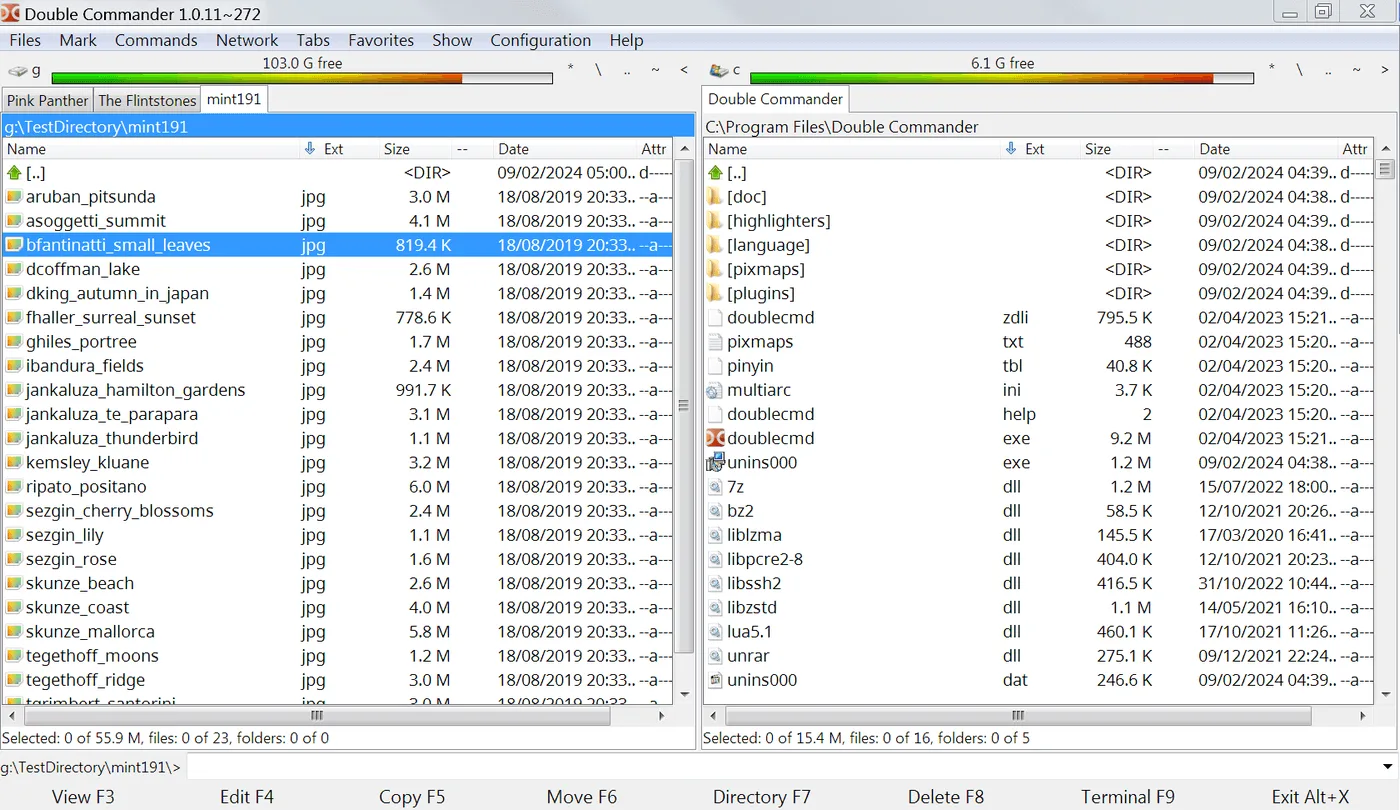
You finished the Double Commander install. This page is the first-hour checklist for a dual-pane file manager: confirm panes, prove one copy, pin a path, and keep one update door. Home install hub: file manager.
1. Launch and confirm two panes
Open Double Commander from the Start menu, Applications folder, or your portable folder. You should see two directory panels. If only one pane appears, check layout settings before you assume the wrong binary. A dual-pane file manager that opens blank still needs a folder picked on each side.
2. Point left at a known source
Navigate the left pane to a folder you understand, such as Downloads or a project directory. Avoid starting inside a system folder you do not want to modify. Read the path bar so you know where the file manager is standing.
3. Point right at a safe destination
Navigate the right pane to a destination you can afford to fill, such as a new folder on your desktop or an external drive. Keeping destination empty reduces fear during the first copy.
4. Copy one small folder across panes
Select a tiny folder on the left and copy it to the right. Watch both listings. That single proof teaches the dual-pane file manager contract better than a feature video. If the copy fails, stop and check permissions before you retry with larger trees.
5. Pin or hotlist a favorite
Bookmark the working directories you just used. Next launch should return you to useful paths quickly. Shared PCs benefit from favorites that avoid other users’ private folders.
6. Optional second tab
Open a tab only after the first copy works. Tabs help when a third folder joins the job. Do not open six tabs on minute one; the dual-pane file manager already shows two places.
7. Keep one update door
Write down whether you installed from win64 exe, MSI, portable zip, DMG, Homebrew cask, or Linux tar.xz. Return to that same door for upgrades. Releases overview: releases. Safe habits: download safe.
8. Schedule a real cleanup
Pick one real cleanup for tomorrow: photos, exports, or old zips. Use the dual-pane file manager with both sides visible. If you need to leave Explorer habits behind more formally, read switch from Explorer.
Troubleshooting: troubleshooting. Safety: is it safe. First run notes: first run. Comparison context: vs Total Commander.
Blocked first launches
If SmartScreen or Gatekeeper blocked the first launch, reopen the original file from GitHub Releases rather than a second website. Filename tokens such as x86_64-win64 should still match. Portable users should confirm they launched the binary inside their extract folder, not a partial download.
Onboarding checklists
Teams can turn this hour into a short checklist in onboarding docs: launch, two panes, one copy, one favorite, one update door. That keeps the file manager useful after reimages without rediscovering adware SERPs.
Power features wait
Power features such as multi-rename, directory sync, and archive tools are upstream strengths. They are not the first-hour bar. Prove the dual-pane file manager with boring folders first, then grow into advanced menus with less risk.
Finish line
When you finish the hour, you should be able to say which asset you installed, where the binary lives, and which two folders you used for the proof copy. Those three facts make support tickets shorter and upgrades safer.
Focus and fonts
Keyboard-first users should learn pane focus switching early so copy commands hit the pane they intend. Mouse-first users should enlarge fonts until names remain readable on their display. Both groups should resist installing plugins before two boring copies succeed.
Shortcuts and notes
If you use a portable zip, confirm the shortcut still points at the extract folder after a Downloads cleanup. If you use MSI or exe, confirm the Start menu entry launches the same dual-pane file manager you just proved.
Record the asset pattern
Write the asset pattern into your notes: win64 exe, MSI, zip, cocoa DMG, Homebrew cask, or Linux tar.xz. That single line prevents next month’s “which binary is this” thread when someone asks how this file manager was installed.
A second proof after lunch helps memory: open the dual-pane file manager again, confirm favorites, and copy another tiny folder. That repetition beats reading a feature list. Keep Releases bookmarked so the next upgrade does not start with a search ad.